
(Beginner-Friendly & SEO-Optimized Guide)
If you are new to websites and digital business, this guide will explain everything in simple language. By the end, you will clearly understand what web design is, why it matters in 2026, and how it helps businesses grow.
What Is Web Design?
Web design is the process of creating a website — how it looks, how it works, how fast it loads, and how easy it is for people to use.
Think of a website like a digital store.
Web design decides:
-
Where things are placed
-
How easy it is to find information
-
How professional it looks
-
How quickly it loads
-
Whether visitors trust it
In 2026, web design is not just about beauty. It is about business results.
Core Parts of Web Design (Explained Simply)
Below are the main parts of web design, explained for someone who is completely new.
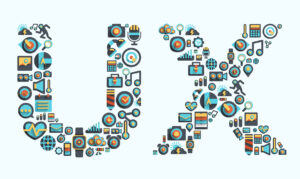
1. User Experience (UX)
User Experience means how someone feels when they use your website.
If your website is:
-
Easy to navigate
-
Fast
-
Clear
-
Not confusing
Then users have a good experience.
If people get lost, cannot find information, or pages load slowly, they leave. That is called a bad user experience.
Good UX helps:
-
Keep visitors longer
-
Reduce frustration
-
Increase trust
-
Improve Google rankings
2. User Interface (UI)
User Interface is what people see.
It includes:
-
Colors
-
Fonts
-
Buttons
-
Images
-
Layout
-
Spacing
UI is about the visual design.
If UX is “how it feels,”
UI is “how it looks.”
A clean and simple interface builds professionalism.
3. Mobile-First Design
Today, most people use phones to browse websites.
Mobile-first design means:
You design the website for phones first, then adjust it for computers.
Why it matters:
-
Google ranks mobile-friendly websites higher
-
Users expect smooth mobile browsing
-
Slow mobile websites lose customers
If your site does not work well on a phone, you lose business.
4. Website Speed & Performance
Speed means how fast your website loads.
If a website takes more than a few seconds:
-
People leave
-
Sales drop
-
Rankings decrease
Performance includes:
-
Fast hosting
-
Optimized images
-
Clean coding
-
Smooth animations
Speed = more trust + more conversions.
5. Website Structure (Very Important for SEO)
Structure means how pages are organized.
Good structure includes:
-
Clear menus
-
Logical categories
-
Headings (H1, H2, H3)
-
Internal links
-
Simple URLs
Search engines use structure to understand your website.
If your site is messy, Google gets confused — and rankings drop.
6. SEO (Search Engine Optimization)
SEO means designing your website so it appears in search results.
For beginners:
SEO helps your website show up when someone searches for something on Google.
Modern SEO includes:
-
Writing helpful content
-
Using the right keywords naturally
-
Fast loading pages
-
Mobile optimization
-
Clear answers to questions
-
Structured content
In 2026, SEO also means optimizing for AI search results.
7. Conversion-Focused Design
A website is not just for visitors.
It is for results.
Conversion means when a visitor:
-
Buys something
-
Fills a form
-
Books a call
-
Subscribes
-
Contacts you
Conversion-focused design includes:
-
Clear buttons (Call to Action)
-
Simple forms
-
Trust signals
-
Testimonials
-
Clear pricing
Without conversion strategy, traffic means nothing.
How AI Has Changed Web Design in 2026
Search engines now use artificial intelligence to:
-
Understand content
-
Summarize websites
-
Recommend answers
-
Evaluate helpfulness
This means your website must:
-
Be clear
-
Be structured
-
Answer questions directly
-
Avoid generic content
AI rewards clarity and depth.
Types of Business Websites (Beginner Explanation)
1. Corporate Website
A website that explains:
-
Who you are
-
What services you offer
-
How to contact you
It builds trust and authority.
2. E-commerce Website
An online store where people:
-
Browse products
-
Add to cart
-
Pay online
Design must focus on easy checkout and product display.
3. Landing Page
A single page designed for one goal:
-
Sell one product
-
Collect emails
-
Promote one offer
Very focused and simple.
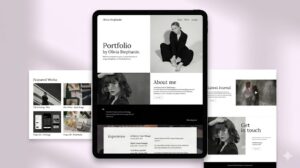
4. Portfolio Website
Used by designers, developers, photographers, etc.
It shows:
-
Past work
-
Skills
-
Client results
5. SaaS Website
Used for software platforms.
Focus is on:
-
Explaining features
-
Free trials
-
Dashboard usability
Modern Web Design Trends in 2026
Here are trends that are popular — but remember: performance matters more than trends.
-
Minimalist design
-
Dark mode option
-
AI chat support
-
Personalized content
-
Micro animations
-
Accessibility-friendly layouts
-
Privacy transparency
Trends should support usability, not distract from it.
Common Mistakes Beginners Make
-
Making the design too complicated
-
Ignoring mobile users
-
Not adding clear call-to-action buttons
-
Using too many animations
-
Writing very short, weak content
-
Forgetting SEO
-
Choosing slow hosting
A website should be simple, clear, and fast.
Step-by-Step: How a Beginner Builds a Good Website
-
Decide your goal (sales? leads? information?)
-
Understand your audience
-
Plan your pages
-
Write helpful content
-
Design mobile-first
-
Optimize for SEO
-
Improve speed
-
Add trust signals
-
Test everything
-
Keep improving using analytics
Websites are never “finished.” They evolve.
Why Web Design Is Critical for Businesses in 2026
Your website is:
-
Your digital office
-
Your salesperson
-
Your brand image
-
Your marketing engine
A well-designed website:
-
Attracts traffic
-
Builds trust
-
Converts visitors
-
Increases revenue
A poorly designed website:
-
Pushes customers away
-
Hurts SEO
-
Reduces credibility
Final Summary (Simple Version)
Web design is:
Not just making a website look pretty.
It is about:
-
Making it easy to use
-
Making it fast
-
Making it visible in search
-
Making it convert visitors into customers
In 2026, a website is not optional.
It is the foundation of modern business growth.
If you are just starting, focus on clarity, structure, speed, and helpful content.


Add comment